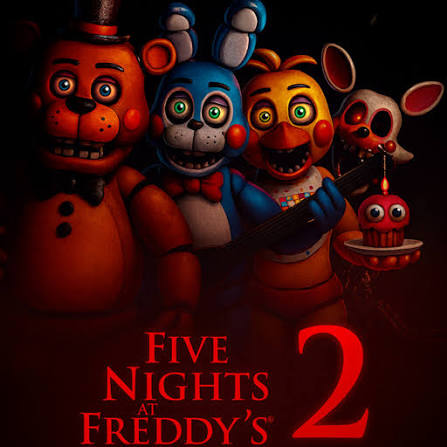
What changes in FNAF 2?
FNAF 2 is a night-watch horror game built around cameras, a flashlight, a Freddy mask and a music box. The goal of a regular shift is to survive until 6 AM, but the security doors from the first game's office are gone. You have to alternate between checking the building and responding to threats already approaching the desk.
The music box makes the camera system part of your defense. A mask can help with some office visitors, while the flashlight matters for a different threat. Neither is a universal answer. Learning which tool belongs in each situation is more useful than trying to repeat one action continuously.
This page plays the Pizza Edition browser version. It has its own URL and player, separate from FNAF and the Frickbears 3 homepage. Follow the instructions displayed by this build, since browser ports and downloadable releases can differ.
Begin a FNAF 2 shift
Press Play FNAF 2 above, then choose Play Game in the embedded player. Wait for the game's menu before starting New Game. The first launch downloads its resources, so the provider's loading screen can remain visible for longer than later visits.
Click inside the game to focus it. Before committing to a defense routine, locate the monitor and mask controls at the bottom, the hallway view and the vent lights. Keep the clock and flashlight battery display in view as well. The Fullscreen button next to Share enlarges the player; Escape returns from browser fullscreen.
Keep the music box in your routine
Use the monitor to find the Prize Corner camera and wind the music box. Return to it regularly instead of spending every camera visit checking unrelated rooms. Letting the music box run down creates a problem that the mask does not solve.
A camera visit should have a purpose: check the information you need, attend to the music box and return to the office. Remaining on the monitor indefinitely leaves you less ready for an animatronic at the desk. The transition back from the monitor is therefore part of the defense loop, rather than a break between the important actions.
Do not read a quiet hallway as permission to forget the music box. The hallway, vents and Prize Corner can demand attention at different times. Make the box part of a repeatable check so it does not disappear from your decisions when another threat becomes distracting.
Match the mask and flashlight to the threat
The Freddy mask is an office defense, not a replacement for every other control. Be prepared to put it on when an animatronic reaches the office. Check what is happening after you lower the monitor rather than assuming you have time for another camera visit.
Foxy in the hallway calls for the flashlight rather than relying on the mask. The browser build tested here displays a Space-key prompt for the flashlight. Watch the game's own prompts if your version presents that control differently. Flashlight use and battery condition deserve attention throughout the night.
The vent lights provide information about the side approaches. Check both sides as part of the office routine. Looking only down the hallway can leave a side entrance unchecked, just as keeping the mask on for too long can take attention away from the music box.
Build a compact FNAF 2 check loop
A useful starting sequence is to attend to the music box, lower the monitor ready to respond, inspect the office and vents, and check the hallway before returning to the camera system. The sequence is a reminder to cover the different defenses; it is not a promise that the same timing wins every night.
If a run ends suddenly, identify which responsibility you lost track of. Were you away from the music box, slow to respond at the desk or relying on the mask for the wrong threat? Improve one part of that sequence on the next attempt. React to the current screen rather than following a memorized rhythm without looking.
Browser controls and troubleshooting
Use the mouse for menus and the visible monitor, mask and camera controls. The tested build also prompts you to hold Space for the flashlight. Click inside the player before pressing a key. If a page scroll or another browser tab takes focus away, click the game again.
For a stalled first load, check the connection before repeatedly restarting. Reloading can end the current session. For missing audio, check tab muting, the game's settings and whether you have deliberately clicked inside the embedded player. Keep the volume comfortable because sudden sounds and jump scares are part of the game.
The page adapts to a phone, but it does not add missing touch controls to the embedded game. A computer with a keyboard and mouse is the recommended setup. This page does not promise account-based saves or progress transfer between devices.
Other games and source
Use Similar Games to open the first FNAF or return to Frickbears 3. Those are separate pages, so their titles and players remain specific to the selected game. The franchise and fan-game guide explains why the homepage fan project is a different title.
Embedded source: Pizza Edition's FNAF 2 page. The embedded provider supplies this browser version; this website is an independent fan site.